The app install path you choose changes the risk
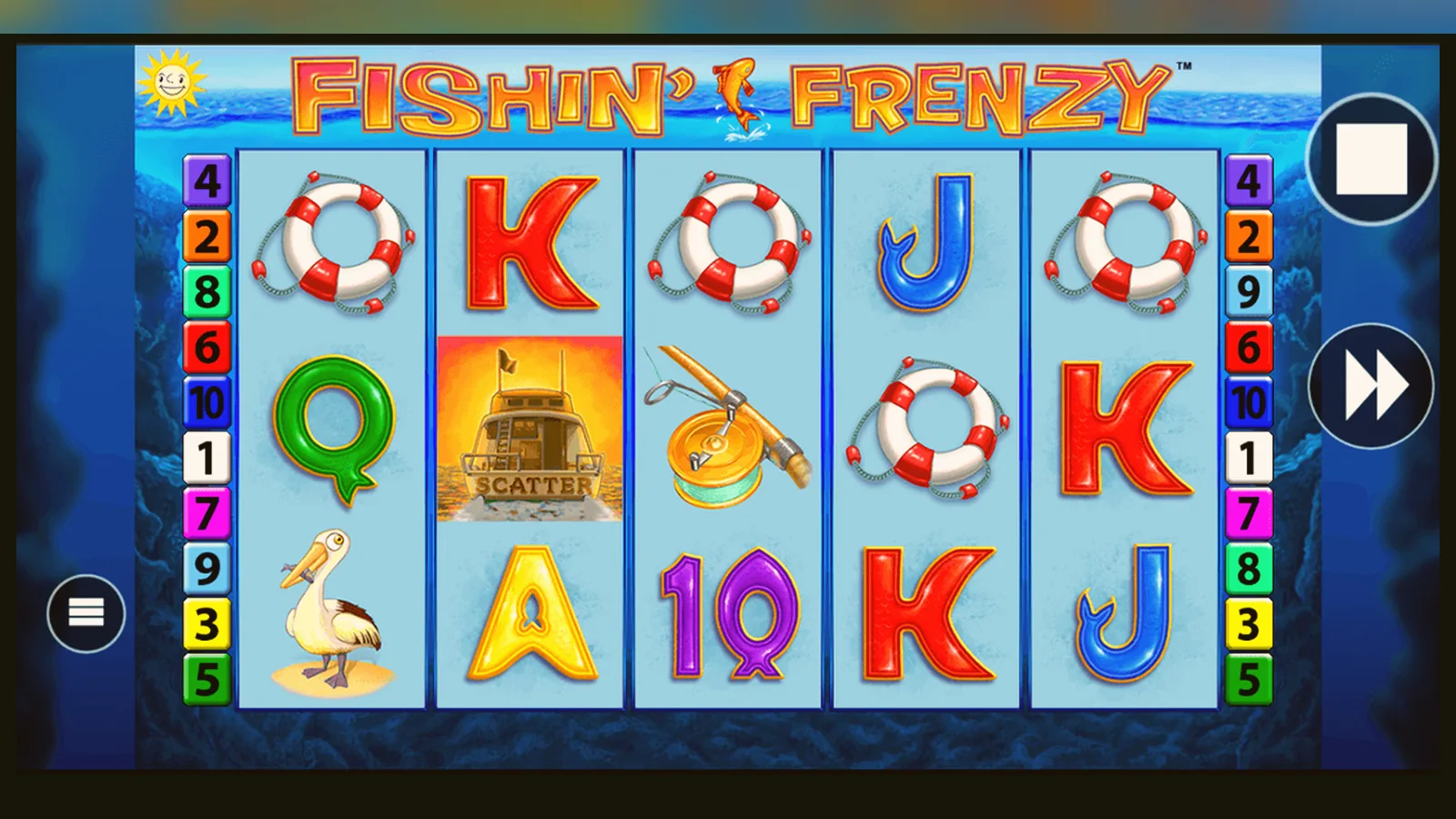
Most players search «Fishin' Frenzy app download» and tap the first result. That's the mistake. The first result might be a clone that asks for SMS permissions, or a pirate APK bundled with adware, or a legitimate operator — you won't know until you've handed over your details.
The actual game lives on casino platforms licensed by the UKGC, not as a standalone app on the Play Store under the game's name. You're downloading an operator's casino client, and Fishin' Frenzy runs inside it. That distinction matters when you check permissions, match the licence number in the footer against the UKGC public register, and decide whether to install from the store, add a web app to your home screen, or sideload an APK.
What the store card would say if this were a standalone title
Fishin' Frenzy itself doesn't sit in Google Play as a separate listing — it's embedded in operator apps. But if you treat the game as a product, the profile looks like this:
These numbers are illustrative — each operator's app will show a different version number, size and update schedule. The game engine version matters more than the wrapper, and you won't see that in the store listing.
Five screens the app will show before you spin
- Age gate and sign-up: email, mobile, date of birth. The operator checks you against credit-reference data at this stage — no deposit yet, but the first layer of affordability screening happens here.
- Identity upload: driving licence or passport photo, proof of address. This is the KYC (know your customer) requirement under UKGC rules. Expect 24–48 hours for manual review; you can't deposit until it clears.
- Deposit screen: debit card (Visa, Mastercard), PayPal, Apple Pay, Open Banking via Trustly, or paysafecard. Credit cards have been banned for gambling since 2020. Set your own deposit limit here — the operator must offer daily, weekly and monthly caps.
- Lobby: Fishin' Frenzy sits in the slots category. You'll see the paytable, RTP (usually 96.00–96.12%, check the info panel inside the game) and stake selector. The £5.00 maximum per spin applies to all players; if you're 18–24, the cap drops to £2.00.
- Game window: 5×3 grid, 10 paylines, free spins triggered by three or more scatter fishermen. Auto-spin and quick-spin options present. Loss and session-time trackers mandated by UKGC appear in the footer or hamburger menu.
Demo mode, where you play with pretend balance, often requires login and age verification on UKGC-licensed sites — it's not a public try-before-you-buy any more.
Four install paths, ranked by risk
Each method gives you the same game engine, but the surrounding risks — fake clones, permission creep, update lag — differ.
- Browser (no install): Open the operator's site in Chrome or Safari, log in, tap Fishin' Frenzy. The game loads in HTML5. Risk: lowest. You're always on the latest version, no permissions beyond camera access for KYC uploads, and you can check the UKGC licence number in the footer every session. Downside: no home-screen icon, and mobile data use is slightly higher than a cached app.
- Add to home screen (progressive web app): In the browser, tap the share icon, then «Add to Home Screen». iOS and Android both support this. The site installs as a web app with an icon. Risk: low. Same security as the browser path, but the icon can be spoofed — a phishing site can mimic the operator's branding. Always verify the URL before you add it.
- Operator app from Google Play or App Store: Search the operator's brand name, not «Fishin' Frenzy», install the casino client. Risk: moderate. The app requests more permissions than the browser version (notifications, location for geofencing, sometimes contacts for referral features). Check the developer name matches the UKGC register entry. Fake clones do appear in store search results, especially if you search the game name instead of the operator name.
- APK sideload (Android only): Download the .apk file from the operator's site or a third-party host, enable «Install from unknown sources», run the installer. Risk: high. You bypass Google's malware scanning, the file could be a repack with adware or keyloggers, and you won't get automatic updates. Only consider this if the operator provides a signed APK directly and you verify the certificate fingerprint — most UK players have no reason to leave the Play Store.
Phone requirements: what will actually run the game
- OS: Android 7.0 or later; iOS 13.0 or later. Older devices might load the game but will stutter during the free-spins animation.
- RAM: 2 GB minimum, 3 GB comfortable. The game assets are light, but the operator app often runs chat, live casino streams and a sports book in the background.
- Screen: 5-inch diagonal minimum; the paytable and bet selector become cramped below that. Landscape orientation gives you the full 5×3 grid without scrolling.
- Network: 3G works for the game itself, but KYC document uploads and live-chat support need 4G or Wi-Fi. Expect 8 MB of asset downloads on first launch, then ~500 KB per session for game state.
- Storage: 50–80 MB for the operator app, plus OS overhead. Browser play needs no local storage beyond cache.
If your phone is more than four years old, the browser path is safer than installing an app that might not receive updates.
What the app does beyond spinning reels
Operator apps bundle the slot with a wider platform. You're not installing Fishin' Frenzy in isolation — you're installing a casino client that happens to host the game. Typical functions:
- Game library: hundreds of slots, table games, sometimes a sports book and live casino. Fishin' Frenzy is one tile in a grid.
- Account dashboard: deposit history, withdrawal requests, bonus wagering progress, reality-check pop-ups every hour of play (UKGC requirement).
- Responsible gambling tools: deposit limits (daily, weekly, monthly), loss limits, session-time reminders, self-exclusion via GAMSTOP, link to BeGambleAware.
- Notifications: bonus offers, free-spin campaigns, payment confirmations. You can disable these in settings, but many apps default to on.
- KYC portal: upload documents, track verification status, receive requests for additional proof of funds when deposits exceed affordability thresholds.
- Customer support: live chat, email tickets, sometimes phone. The chat often uses your location to route you to the correct support team.
The app doesn't alter the game's RTP or hit frequency — those are locked in the server-side configuration certified by the testing lab. What it does change is how much friction sits between you and the next deposit.
What's new in recent versions (and what that means for you)
Operator apps update every few weeks; the game engine updates quarterly. Changes you'll notice:
- Stake-cap enforcement by age: apps now read your age from the KYC data and hard-cap spins at £2.00 if you're 18–24. This rolled out across UKGC operators in mid-2025.
- Faster affordability checks: integrated Open Banking lets the operator pull six months of bank transactions with your consent, replacing the old manual payslip uploads. The first check still happens at £150 net deposits per month, using credit-reference data; Open Banking is the second stage.
- Loss and spend trackers in-game: a footer bar shows your session spend and net position, updating after every spin. You can't hide it — UKGC mandates this for high-risk games, and Fishin' Frenzy's free-spins volatility puts it in that category.
- Geo-fencing for device location: some apps now require location services to confirm you're in the UK when you play. If you're abroad, the app blocks real-money mode and offers demo only.
- Withdrawal speed improvements: e-wallets (PayPal, Skrill) now process in hours instead of 24; Faster Payments to your bank account often land the same day, though 1–2 working days is still normal.
The first withdrawal remains the slowest because the compliance team manually reviews your documents. After that, payouts are faster — assuming you don't trigger an affordability check with a large deposit spike.
How to spot a fake clone and which permissions are red flags
Clones appear in store search results and third-party APK hosts. They mimic the real game's branding but siphon data or serve ads. Warning signs:
- Developer name doesn't match the operator's legal entity in the UKGC register. Example: if the footer says «operated by XYZ Ltd, licence 000-123456», the Play Store listing should show XYZ Ltd as the developer, not «Fishin Frenzy Games» or «Blueprint Casino».
- Permissions creep: the real game needs camera (KYC), location (geo-fencing), notifications. A clone might ask for SMS (to intercept two-factor codes), contacts (for spam), or phone state (to track your device ID). Decline anything beyond camera, location and notifications.
- No UKGC licence in the app: legitimate operator apps link to their licence details in settings or the footer. If you can't find a licence number, or the number doesn't appear in the UKGC public register, it's either unlicensed or a clone.
- Requests payment outside the app: real operators process deposits inside the app via regulated payment providers. A clone might redirect you to a dodgy payment gateway or ask for bank transfers to a personal account.
- Star-rating and review mismatch: clones often have 4.8–5.0 ratings with generic «great game!» reviews posted on the same dates. Legitimate casino apps hover around 3.5–4.3 with complaints about verification delays and withdrawal speed.
- Version number stuck in the past: if the app hasn't updated in six months and the operator's site shows a newer version, you're looking at an abandoned or fake listing.
Where the install path changes your exposure
Risk isn't just malware — it's also how easily you can deposit again after a losing streak, and whether you'll notice the licence has lapsed. The browser path forces you to see the footer every session; an app icon on your home screen is one tap from the cashier with no licence check in between.
APK sideloads skip the update mechanism. If the operator loses its UKGC licence (rare, but it happens — see the register's «revoked» section), your sideloaded app will keep working until the server blocks your account. A Play Store install would have been pulled when the licence lapsed.
Progressive web apps sit in the middle: you get the home-screen icon, but the app reloads from the server every launch, so you're always on the current version and the licence check still happens.
Deposit limits are account-level, not device-level. Installing the app on a second phone doesn't give you a second £500 weekly limit — the cap follows your account. Some players assume a fresh install resets their limits; it doesn't.
The game's RTP and volatility are identical across all four install paths. What changes is how much friction — licence checks, permission reviews, update prompts — sits between you and the next spin. Less friction means faster deposits, which is convenient until it isn't.
FAQ
Can I install Fishin' Frenzy directly from Blueprint Gaming's site?
No. Blueprint licenses the game to casino operators; they don't offer a direct-to-consumer app. You'll always install an operator's casino client (from Play Store, App Store, or as a web app) and launch Fishin' Frenzy from the lobby inside it. If a site claims to be Blueprint's official Fishin' Frenzy app, it's a fake.
Why does the app ask for location permission if I'm clearly in the UK?
UKGC rules require operators to geo-fence gameplay — you must be physically in the UK to play for real money. The app checks your device location every session. If you're travelling, you'll be switched to demo mode or blocked entirely. VPNs trigger the same restriction; the operator cross-checks your location against your payment method's billing address.
Does the app version of Fishin' Frenzy have a higher RTP than the browser version?
No. The RTP (return to player) is set server-side and certified by the testing lab — typically 96.00–96.12% for Fishin' Frenzy. It's identical whether you play in Chrome, an installed app, or a progressive web app. The only RTP variation comes from operator configuration; some sites run a lower RTP variant (95.00–95.50%) disclosed in the game's paytable. Check the info panel before you start.